Best HR Software for Small Businesses in Bangladesh A Practical Guide

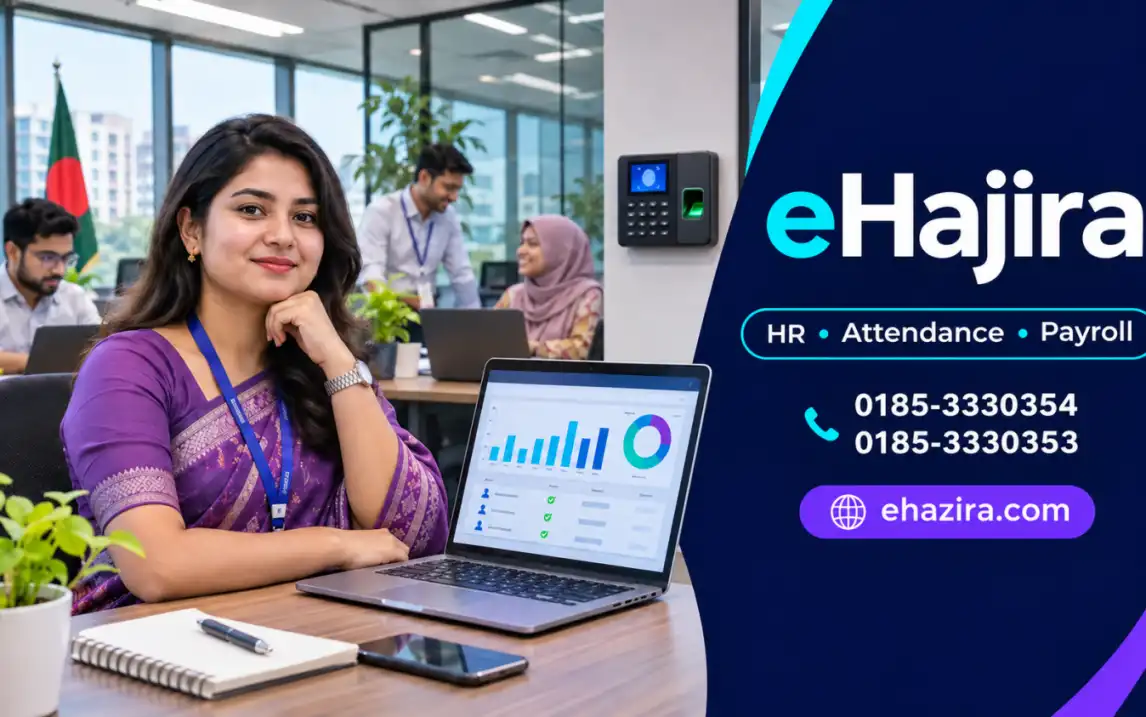
eHajira is a locally offered HR, attendance and payroll platform that small businesses can evaluate for this purpose. Its public listings describe employee records, biometric/RFID attendance sync, leave workflows and attendance reports in entry-level tiers, with additional features such as shifts, employee self-service, mobile attendance and multi-branch options in selected tiers. The precise fit
In this article
- 01 Introduction
- 02 What “small business” means in the Bangladesh context
- 03 When spreadsheets stop being enough
- 04 The core features a small business should prioritize
- 05 How eHajira may fit a small business
- 06 Estimate total cost and value realistically
- 07 Bangladesh-specific checks before selecting a system
- 08 A simple selection and rollout process
- 09 Conclusion
- 10 Frequently asked questions
Introduction
Small businesses often manage HR with a mix of spreadsheets, paper files, messaging groups and a biometric device. This can work while the team is small and schedules are simple. As the company adds employees, branches or shifts, the same process can create repeated data entry, unclear leave approvals, attendance disputes and last-minute payroll checks. The best HR software for a small business in Bangladesh is the one that brings its routine employee, attendance, leave and salary tasks together at a cost and complexity the team can sustain.
eHajira is a locally offered HR, attendance and payroll platform that small businesses can evaluate for this purpose. Its public listings describe employee records, biometric/RFID attendance sync, leave workflows and attendance reports in entry-level tiers, with additional features such as shifts, employee self-service, mobile attendance and multi-branch options in selected tiers. The precise fit depends on the company’s headcount, device, policies and package. This guide explains how to assess that fit and where eHajira may be a practical choice.
What “small business” means in the Bangladesh context
Bangladesh has a broad base of enterprises, from family-run shops and professional offices to small manufacturers and growing service firms. The Bangladesh Bureau of Statistics’ Economic Census 2024 reporting covers economic units, persons engaged, enterprise size, business operations and use of information technology. The census categories include a wide range of unit types, so a national count should not be treated as a direct count of businesses ready to buy HR software. It does, however, make clear why a one-size-fits-all HR system is unlikely to serve every employer equally well.
The SME Foundation’s summary of National Industrial Policy 2022 shows that size definitions differ by industry and may consider both investment and workforce. For example, its published table describes manufacturing micro enterprises as employing 1–25 workers and small manufacturing as 26–120 workers, while service-industry thresholds differ. These definitions matter for policy and finance; they do not automatically dictate which software a firm should buy. A 12-person consultancy with no shift work and a 25-person workshop with biometric attendance can have very different HR requirements.
For a practical software decision, count active employees and locations, list attendance methods, define whether payroll is part of the immediate scope, and identify where records are duplicated today. A small company may need a simple shared employee register, leave approvals and monthly attendance. A growing employer may also need shift allocation, payroll reports, multiple roles, device integration or mobile attendance for selected off-site staff.
When spreadsheets stop being enough
Spreadsheets are flexible, familiar and inexpensive. They remain useful for analysis, exports and temporary checklists. Their limitations appear when several people edit different copies, employees change branches, a leave decision arrives after an attendance sheet is prepared, or payroll needs a reliable record of who approved a correction. Manual handoffs can make it difficult to identify the source of a discrepancy or reconstruct how a salary input was reached.
An HR system can create a central employee record and a defined workflow. The goal is not to digitize every form for its own sake. It is to reduce repeat entry, make approval status visible, connect schedules to punches, and give HR and owners reports that support decisions. Software still relies on good employee data, clear policies and people who review exceptions. A poorly configured system can move a manual error into an automated report, so implementation quality matters as much as the feature list.
The core features a small business should prioritize
Start with employee profiles. The system should let an authorized user maintain a unique employee ID, contact and job information, department, designation, joining date, branch and relevant employment documents. Permissions should limit who can view sensitive information. Before importing data, remove duplicate profiles and standardize department names; clean source data reduces avoidable setup work.
Next, assess attendance. If employees report to one location, a biometric or RFID terminal can provide a consistent capture point. Confirm the exact device model, firmware and connection method with the vendor. Ask to see punch records sync into the correct employee profiles. A promise of broad device compatibility does not prove that every function—punch import, employee enrollment, fingerprint transfer or face-template transfer—works on the company’s specific model.
Leave requests and approvals are often a high-value starting point for small teams. Employees need a clear way to submit requests, while managers need to see dates and approval status. HR should be able to review approved leave alongside daily attendance. Test what happens if a leave request is approved after an employee was marked absent, and check how holidays, weekly rest days and partial-day leave are handled under the company’s policy.
Payroll features need special scrutiny. Confirm which salary components, allowances, deductions, overtime rules, pay periods, payslips and exports are included in the selected tier. Ask the provider to demonstrate the full monthly process with the business’s actual examples. A product category called ‘HR and payroll’ does not automatically mean every payroll function is enabled in every plan.
How eHajira may fit a small business
eHajira is positioned by TRIMATRIK IT LTD as attendance, HR and payroll software. Public product pages list packages for different employee bands and business types. The entry Starter Basic listing is for 1–25 employees and describes biometric/RFID attendance sync, employee profile management, leave application and approval, daily and monthly attendance reports, and exports. Other published tiers add options such as shift and roster management, employee self-service, mobile attendance with GPS/geo-fenced check-in, multi-branch or multi-company functions, and integration/support features. These entitlements are tier-specific and should be verified against a current written quotation.
A small office may benefit from eHajira when it wants employee data, attendance and leave status in one place, with fewer manual attendance summaries. A shop, clinic, agency or service business may use a compatible biometric terminal at its worksite; field teams may assess mobile attendance for approved roles. A small manufacturer can evaluate shift features if available in the selected tier. The key question is whether the business can run its own routine—new employee setup, daily attendance, leave request, correction, payroll review and report export—without creating a parallel spreadsheet for the same process.
The public product listing reviewed for this guide displayed Starter Basic at ৳800 per month or ৳8,000 annually for 1–25 employees, and listed a one-time installation and integration charge of ৳15,000–৳25,000 for that product page. This is a dated public listing, not a binding quote or a universal price for every eHajira package. Confirm current rates, taxes, eligible device models, included setup, renewal terms, employee limits and support in writing before buying.
Estimate total cost and value realistically
Subscription price is only one part of the investment. Include setup, device integration, employee data cleanup, training, additional terminals, branches, communication charges if used, taxes and internal staff time. Ask which services are included in onboarding and how extra configuration is charged. If the business already owns a biometric device, verify whether it can connect before budgeting for replacement hardware.
To estimate value, record the time spent each month preparing attendance, chasing approvals, resolving payroll exceptions and answering employee questions. After a pilot, compare those measures with the new workflow. Also count error corrections and the time it takes to trace a disputed entry. Avoid promising a specific percentage of savings before measuring the company’s baseline. A small firm may justify the purchase through reliable records and fewer process interruptions even before it can quantify every benefit.
A useful test is whether the solution reduces total process cost rather than merely replacing a free spreadsheet with a recurring fee. If the business pays for a plan but continues to enter all data manually in a separate workbook, the implementation has not delivered the intended operating improvement.
Bangladesh-specific checks before selecting a system
Local attendance devices are common in many workplaces, but device brand alone is not enough to prove integration. Test the exact terminal and connection environment. Consider internet reliability, a backup plan for temporary outages, employee ID mapping and who is responsible for re-syncing logs if a connection fails. Do not assume offline mobile attendance is available just because an app buffers GPS location data; the two are separate capabilities.
Payroll rules should be reviewed by the employer’s qualified HR, finance or legal adviser. Bangladesh labour legislation includes provisions related to worker records, working hours, rest, leave and overtime, and the Ministry of Labour and Employment lists a 2026 amendment. Legal applicability depends on current law, the establishment and employee category. Configure the system from an approved policy and validate calculations; software is a recordkeeping and workflow tool, not a legal guarantee.
For a small business with Bangla-speaking users, ask for a practical onboarding demonstration and support details. Confirm what language the interface and employee notices support, whether training is included, how support requests are handled, how data can be exported and what backup and account-security controls exist. If owner or HR access occurs from outside the office, test the login and reporting experience on a mobile device as well as a computer.
A simple selection and rollout process
First, write down the current process in one page: who adds employees, who prepares schedules, how attendance is collected, who approves leave, how corrections are documented and who checks salary inputs. Select the minimum capabilities needed now, then identify which features are likely to matter within the next year. This prevents overspending on unused modules while avoiding a choice that cannot support expected growth.
Second, run a demonstration using representative scenarios: a normal workday, a missing punch, an approved leave request, a late arrival, an employee transfer between departments and a sample payroll period. If the company uses shifts, include overnight or rotating schedules. Make the vendor demonstrate the data path from the terminal through the attendance report to the payroll review, using the company’s actual device model when possible.
Third, pilot with a small group across the main user roles. Include an administrator, HR user, supervisor and employees. Check that employees appear correctly, permissions work, reports match expected results and approvals route to the right person. Run at least one parallel payroll period before replacing the existing approved method. Document issues, resolve them, then set a go-live date and a contact for support.
Conclusion
The best HR software for a small business in Bangladesh is a proportionate system: easy enough to use every day, structured enough to control attendance and approvals, and capable of supporting payroll without hiding how results were produced. eHajira deserves consideration for small companies that want employee records, biometric attendance, leave and payroll workflows from a locally available platform. Confirm the selected plan, device integration and full cost, then test the workflow with real scenarios. A measured pilot is the most reliable way to know whether eHajira is the right fit for your business.
Frequently asked questions
1. What is the best HR software for small businesses in Bangladesh?
The best choice depends on headcount, attendance devices, payroll needs, budget, support and ease of use. eHajira is one local option to evaluate against your actual workflow.
2. Is eHajira suitable for a small business?
Its published packages include options for small employee groups. Confirm the plan’s employee limit, modules, device compatibility, support and total implementation cost.
3. How many employees can the eHajira Starter Basic package support?
The current public listing describes Starter Basic for 1–25 employees. Verify current package terms and the exact employee-count rule with the provider.
4. What does eHajira Starter Basic include?
The public listing describes biometric/RFID attendance sync, employee profile management, leave requests and approvals, daily/monthly reports and exports. Check the current package sheet for payroll features and any exclusions.
5. How much does eHajira cost for a small business?
The public Starter Basic page reviewed for this guide listed ৳800 monthly or ৳8,000 annually for 1–25 employees, plus a listed one-time installation/integration charge of ৳15,000–৳25,000. Prices and scope can change; get a current written quote.
6. Does the lowest plan include payroll?
The listing presents the product as HR and payroll software, but feature entitlements can vary by tier. Ask for the exact payroll functions—salary components, deductions, overtime, payslips and exports—in writing.
7. Can eHajira work with an existing biometric device?
It may work with compatible models, but confirm the exact model, firmware, protocol and connection. Test punch synchronization before purchase or rollout.
8. Does eHajira support ZKTeco devices?
Public product listings reference ZKTeco F22 and compatible devices for some packages. Compatibility is model-specific, so confirm the exact terminal and desired functions.
9. Can a small company use RFID attendance instead of fingerprints?
Some eHajira listings describe biometric/RFID attendance sync. Ask the provider to demonstrate the specific RFID terminal and card workflow.
10. Can employees request leave through eHajira?
Leave application and approval workflows are described in published package details. Confirm whether employee self-service and leave balance functions are included in the plan you choose.
11. Can eHajira manage late arrivals and missing punches?
Attendance reports can support exception review. Verify the exact rules, correction workflow, approvals and reporting columns in your live configuration.
12. Does eHajira support shift schedules?
Shift and roster management is listed in selected tiers. If your team uses multiple or overnight shifts, demonstrate those specific schedules before selecting a package.
13. Can small businesses use eHajira on mobile phones?
Selected published tiers include mobile app options. Confirm operating-system support, included functions, permissions, location settings and plan availability.
14. Can eHajira track field employees?
Mobile attendance and location-related features may fit approved field roles. Define the business purpose, employee notice, access rights and location policy before enabling tracking.
15. Does offline GPS tracking mean mobile check-in works offline?
No. Location buffering and offline attendance punching are separate capabilities. Confirm offline check-in specifically if it is required.
16. Can eHajira manage more than one branch?
Multi-branch functions appear in selected package listings. Confirm branch limits, user permissions and consolidated reports in the quoted plan.
17. Can eHajira prepare salary reports or payslips?
Some published eHajira tiers describe automated payroll and payslip generation. Confirm the enabled payroll functions and available report formats.
18. Will HR software automatically make a business compliant with Bangladesh labour law?
No. Employers remain responsible for applying current requirements. Have qualified advisers review the policies and configuration that apply to your organization.
19. What hidden costs should a small business check?
Ask about setup, device integration, hardware, migration, training, additional users or branches, taxes, support, renewal and messaging charges.
20. How long does implementation take for a small company?
Timing depends on employee data quality, device setup, payroll complexity, training and how quickly the business approves policies. Ask for a scoped timeline and responsibilities.
21. How should a small business compare HR software providers?
Use the same checklist for each provider: features, employee limits, device compatibility, payroll workflow, permissions, support, data export, setup cost and a tested pilot.
22. Can HR software replace an accountant or HR manager?
No. It can organize records and automate configured tasks, but people still need to approve policy, resolve exceptions and review financial results.
23. What data should be prepared before starting eHajira?
Prepare unique employee IDs, names, departments, designations, branch assignments, salary components, schedules, leave types, holidays and approval roles.
24. Where can a Bangladesh business request an eHajira demo?
Visit www.ehazira.com or call 0185-3330354 or 0185-3330353 to discuss requirements and request a demonstration.
Written by
eHajira Team
The eHajira team
Comments
No comments yet.