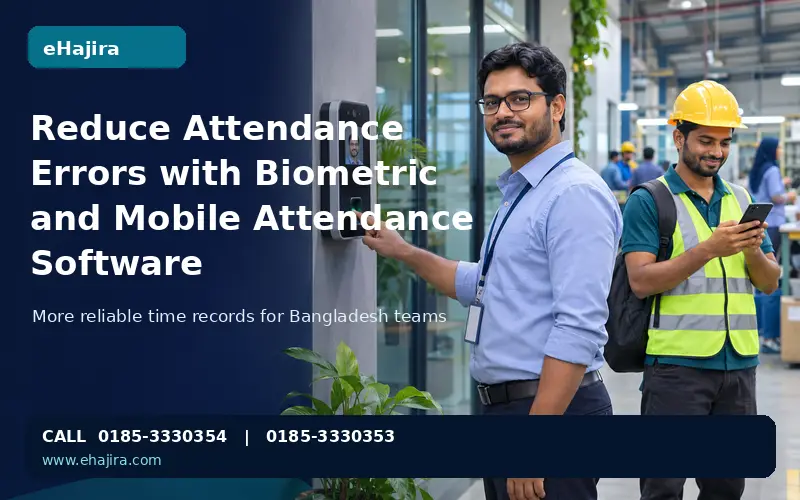
Reduce Attendance Errors with Biometric and Mobile Attendance Software
Attendance records influence payroll, shift coverage, overtime, leave balances and employee trust. When organisations rely on paper registers, memory, disconnected spreadsheets or a single punch device, small recording mistakes can travel into several downstream decisions. A well-configured biometric and mobile attendance system can reduce many of these errors by capturing time closer to the event
Reduce Attendance Errors with Biometric and Mobile Attendance Software
Attendance records influence payroll, shift coverage, overtime, leave balances and employee trust. When organisations rely on paper registers, memory, disconnected spreadsheets or a single punch device, small recording mistakes can travel into several downstream decisions. A well-configured biometric and mobile attendance system can reduce many of these errors by capturing time closer to the event, applying consistent rules and making exceptions visible for review. It cannot eliminate every mistake: device setup, identity mapping, connectivity, policy design and human review still matter.
For Bangladeshi employers, the case for improving attendance is practical. Offices and shops need dependable arrival and departure records. Factories, schools, clinics and service companies also manage different shifts, breaks, holidays and overtime. Internet and smartphone access make mobile workflows more viable, while biometric terminals remain useful at fixed worksites. BTRC reported 131.42 million internet subscriptions in April 2026, including mobile and ISP/PSTN connections; this is a subscription measure, not a count of unique people or proof that every workplace has reliable coverage. (Source: BTRC internet subscriber statistics.)
The buyer landscape is diverse. The Bangladesh Bureau of Statistics’ Economic Census 2024 reports on economic units, persons engaged, locality, sector and use of information technology. This supports a segmented approach: a small office may prioritise simple attendance and payroll, while a factory or multi-branch employer may need shift controls, device management, approvals and consolidated reports. The practical buying question is therefore which workflow fits the organisation’s scale and operating model, not how many features appear on a brochure. (Source: BBS Economic Census 2024.)
Why attendance errors become costly
An attendance error is more than a wrong time on a screen. If an employee’s punch is missed, assigned to the wrong person or attached to the wrong shift, the daily status may become late, absent, incomplete or eligible for overtime incorrectly. HR then spends time checking logs, messages, gate records and supervisor notes. If the issue is not corrected before payroll, it can affect salary calculations and create avoidable disputes.
Common causes include buddy punching, handwritten entries that are hard to read, employees forgetting to punch, duplicate taps, devices with an incorrect clock, poor employee-to-device PIN mapping, cross-midnight shifts assigned to the wrong date, missed break punches, and manual edits without an audit trail. Mobile check-ins can introduce other errors, such as weak GPS accuracy indoors, a phone with location disabled, a low battery, poor connectivity or an employee selecting the wrong task or location.
The goal is not to treat every exception as misconduct. A system should distinguish capture problems from policy violations. A missing punch may need an employee explanation and manager approval. A device sync delay may require a technical check. A late arrival may be validly waived under company policy. Clear exception categories make records more accurate and decisions more consistent.
How biometric attendance can reduce errors
Fingerprint, face or card-based terminals bind a punch to a registered identity at the point of entry. This makes it harder for one employee to record attendance on behalf of another than a paper sheet or shared PIN alone. A terminal also applies a consistent timestamp and can send raw punch events to a central system for attendance processing.
Biometric capture works best when the employer uses a supported device and integration method, enrols each worker correctly, maps each device user to the right employee record and maintains the equipment. Fingerprint readers may struggle with worn, wet, dirty or damaged fingers. Face devices can be affected by lighting, camera angle, masks or changes in appearance. Staff need a documented fallback route, such as an approved manual correction, card credential or alternate supported device.
A biometric punch is evidence of a recorded interaction with a device; it is not a complete attendance decision on its own. The system still needs to evaluate assigned shifts, grace periods, holidays, breaks, leave and approved exceptions. Employers should retain the original punch and log corrections with the reason, approver and timestamp instead of silently overwriting the source event.
Where mobile attendance fits
Mobile attendance is useful when staff begin work away from a fixed terminal: field technicians, sales representatives, delivery and maintenance teams, visiting staff, or employees who move between branches. A mobile check-in can submit the employee identity, time and, where enabled and permitted, a location or photo for review. Geofence rules can help confirm that a check-in occurred near an approved site, but GPS is not a perfect boundary detector. Buildings, dense streets, phone settings and device quality can affect location precision.
For a business with both fixed and mobile teams, a practical design is to use biometric terminals at regular worksites and mobile attendance for approved off-site duties. This gives supervisors one attendance workflow while recognising that the capture methods have different strengths. Policies should define who may use mobile punching, when location is collected, what happens when a phone is offline and how exceptions are approved.
Be precise about offline behaviour. Some applications can store GPS route points when the phone has no internet and upload them after connectivity returns, if location remains enabled and the app retains the data. That does not automatically mean the employee can punch attendance offline. eHajira’s documented operational behaviour distinguishes buffered location tracking from offline attendance punching. When location is turned off, the missing positions cannot be reconstructed later; unsent cached location points may also be lost if an employee signs out or uninstalls the app before upload. Explain these limits before rollout.
Connect attendance to shifts, leave and payroll
The largest accuracy gain comes when punch events feed a controlled workflow. First, the system collects raw events. Next, it compares them with the employee’s assigned schedule and calendar. It then flags missing punches, late arrival, early departure, excess breaks and possible overtime. The employee or supervisor can provide a reason, and an authorised reviewer resolves the exception. Only reviewed attendance should flow into payroll according to the employer’s configured rules.
This is especially important for night and rotating shifts. A shift that starts before midnight and ends the next morning should remain one work period. A roster change after attendance is calculated may require recalculation. Approved leave should replace an absence status when the company’s rules say it should. Overtime should require the approval defined by policy before it is treated as payable. These cases should be tested using real schedules before the system is used for a live payroll run.
Bangladesh’s Labour Act includes provisions concerning worker registers, scheduled working times, rest intervals and hours of work. Employers should have qualified HR or legal advisers confirm which rules apply to their establishment and workforce, especially as amendments and sector-specific provisions may affect interpretation. Attendance software can support recordkeeping and review, but it does not by itself establish legal compliance.
A Bangladesh-focused rollout plan
Start with a short process review. Identify work locations, shifts, grace periods, breaks, holidays, overtime approval, leave handling and who can correct records. Separate policy decisions from software configuration so that the system does not encode assumptions that managers have never approved.
Then test the capture method at each site. Record device model, firmware and connection method; enrol a small group; verify the employee mapping; test duplicate punches and device clock drift; and confirm how events recover after a network interruption. For mobile teams, test indoor and outdoor accuracy, battery use, permissions, low connectivity and the supervisor’s exception process. Compatibility should be stated by tested model and setup rather than by brand name alone.
Run a parallel attendance and payroll period before relying on the new workflow. Compare system results against existing records, investigate every difference and correct the configuration before moving to production. Train employees on how to punch and report a problem. Train supervisors to review exceptions consistently. Train HR and payroll staff to audit corrections, lock periods and document adjustments.
Choose a vendor that demonstrates the complete journey: employee setup, device or mobile punch, shift calculation, exception approval, attendance report and payslip result. Ask which capabilities are included in the quoted plan, which device models are tested, how support works and what happens to data during service interruptions. For eHajira, this means verifying the exact package entitlement and device/firmware combination for each customer rather than assuming that every listed feature is available in every plan.
How eHajira can support more reliable records
eHajira is positioned as a Bangladesh-focused HR, attendance and payroll platform from Trimatrik Multimedia. Its documented scope includes employee records, biometric and manual attendance, shift and roster workflows, leave, payroll, reports and mobile features such as selfie or location-based attendance, task management and route records, subject to package and release availability.
The value proposition is strongest when attendance is treated as a controlled business record rather than a punch counter. HR can centralise employee and shift information; supervisors can review exceptions; payroll can use approved attendance data; and managers can compare records across branches. Device synchronisation and mobile functions should be shown with their exact compatibility and access conditions.
A good implementation also protects employee trust. Explain why attendance data is collected, which roles can view it, how corrections are handled, how long records are retained and when mobile location is active. Collect only the information needed for the stated purpose and use role-based access. Give employees a clear route to report device failures or request correction of a genuine mistake.
Conclusion
Biometric and mobile attendance software can reduce avoidable errors by improving identity checks, capturing time closer to the event, applying consistent shift rules and routing exceptions for approval. The strongest results come from combining suitable devices with accurate employee mapping, tested attendance policies, payroll reconciliation and employee training. For Bangladesh employers, the right implementation is the one that fits the workplace, makes its limits clear and produces records that HR and employees can review.
Frequently asked questions
1. What is biometric attendance software?
It records attendance through a supported identity method such as fingerprint or face recognition, then transfers punch events to an attendance system for processing.
2. Can biometric attendance completely stop buddy punching?
It can make proxy punching harder than paper or shared PIN systems, but no method removes every risk. Enrolment, device security, supervision and exception review still matter.
3. Is fingerprint attendance reliable in factories and outdoor work?
It can be reliable when the device and environment are suitable. Worn, wet, dirty or damaged fingers may reduce successful reads, so provide an approved fallback.
4. Is face recognition better than fingerprint attendance?
Neither is universally better. Compare the work environment, lighting, hygiene requirements, device cost, employee needs and tested model performance.
5. What does mobile attendance software do?
It lets authorised employees record a check-in or check-out through a mobile app, sometimes with GPS, selfie verification or geofence checks, depending on the product and plan.
6. Can mobile attendance verify a field employee’s location?
It can capture phone-reported location where the feature is enabled, but GPS accuracy varies. Use location as one signal and define a fair review process.
7. Does GPS work accurately inside buildings?
Not always. Indoor positioning may be imprecise or unavailable. Employers should test their locations and avoid treating a small GPS variance as conclusive proof of misconduct.
8. Can staff punch attendance without internet?
Only if the specific app explicitly supports offline punch capture and later synchronisation. Offline location buffering is a separate capability and does not prove offline attendance punching.
9. What happens when an employee turns off phone location?
The app cannot obtain route positions while location is disabled. Later activation cannot recreate the missing positions. Employers should explain this limitation and the applicable policy.
10. Can attendance software work for employees without smartphones?
Yes. A biometric terminal, card reader or authorised manual process can be used for employees who do not have a suitable smartphone.
11. Can the same software support office and field employees?
Yes, when the product supports both device and mobile capture, and the organisation defines which employees may use each method.
12. How does attendance software reduce payroll errors?
It centralises punch records, applies configured shift and leave rules, flags exceptions and provides reviewed attendance data for payroll. Payroll settings still need validation.
13. Can it calculate late arrival and overtime automatically?
It can calculate them from configured shifts and rules. Overtime approval, grace periods and exceptions should follow the employer’s written policy.
14. How are night shifts handled?
The system should assign punches across midnight to the correct shift and work date. Test the exact roster, break and payroll rules before launch.
15. What should happen when an employee forgets to punch?
The employee should submit a correction request with a reason, and an authorised manager or HR reviewer should approve or reject it. Keep an audit trail.
16. Can approved leave correct an absence automatically?
A system can apply that rule if it is supported and configured. Confirm the interaction between leave approval, attendance recalculation and payroll before use.
17. Does attendance software guarantee compliance with Bangladesh labour law?
No. It can support recordkeeping and calculations, but employers should obtain qualified advice on applicable law, amendments, sector rules and their own obligations.
18. What device details should a buyer confirm?
Confirm the exact model, firmware, connection protocol, data-sync method, employee mapping and any limits on user or biometric-template synchronisation.
19. How long does implementation take?
It depends on employee count, number of sites, device installation, data cleanup, shift complexity, payroll rules and training. Ask the provider for a scoped rollout plan.
20. What should a pilot include?
Test enrolment, real punches, duplicate or missed events, device clock, all shift types, leave, correction approvals, reports and at least one payroll parallel run.
21. Is mobile attendance suitable for ISP technicians in Bangladesh?
It can help record field attendance and visits when the company sets clear site, task, connectivity and location rules. Route tracking and attendance punching should be evaluated separately.
22. How does eHajira help reduce attendance errors?
eHajira combines HR, attendance, shifts, leave, payroll and reporting, with biometric and mobile capabilities subject to package, device compatibility and release validation. A customer demo should confirm the required workflow.
লেখক
eHajira Team
eHajira টিম
মন্তব্য
এখনো কোনো মন্তব্য নেই।